Getting started
Once installed, HAFFET can be run from any directory, but a data directory should be defined in advance to deal with cached data and fitting samples. The default data directory is a folder in the current directory, i.e. ./data/. It would be more convenient to make a new directory for your project, and refer it in your shell profile:
>>> mkdir /xxx/yyy/haffet_data
>>> export ZTFDATA="/xxx/yyy/haffet_data"

# or add it to your shell profiles, e.g. bash, zsh, etc,
# so that every time your started the shell, the data directory is defined.
>>> vi ~/.bashrc

# add the line below
>>> export ZTFDATA="/xxx/yyy/haffet_data"

# save, quit, and source your shell profile
>>> source ~/.bashrc
The variable ZTFDATA is then defined serving as the data directory for HAFFET. The structure of the data directory would be:
`ZTFDATA`/
   auth.txt
   bc_table.txt
   bts_meta.txt
   c10_template.txt
   default_par.txt
   individual_par.txt
   logo.txt
   oac_meta.txt
   marshal/
      lightcurves/
         `objid`/
            ***.csv
      spectra/
         `objid`/
            ***.ascii
   fritz/
      lightcurves/
         `objid`/
            ***.csv
      sample/
         fritz_groups.json
      spectra/
         `objid`/
            ***.ascii
   ForcePhot/
      `objid`/
         ***.csv
   ForcePhot_atlas/
      `objid`/
         ***.csv
         ***.txt
   oac/
      `objid`/
         ***.csv
   cache/
       ***.h5
   plots/
       ***.png
   images/
       ***.fits
The text files are copied from https://github.com/saberyoung/HAFFET/tree/master/sdapy/data, e.g. the auth.txt defined the user accounts for different services, default_par.txt defined general parameters, and individual_par.txt defined specific parameters for individual objects. Note that if there’re any files in your current working directory with the same name, they’ll be used instead of the ones in the ZTFDATA directory.
The data directory is crucial for HAFFET, thus we provide build-in functions helping setting and checking the data directory.
One can use the executable file:
>>> sdapy_run --checkdir
or inside the python:
>>> from sdapy.snerun import check_dir
>>> check_dir(askifdirmissed=True)
Nothing will happen if everything is OK, otherwise, a question would appear in the terminal asking:
>>> as set, xxx was the folder used to deal with data however some sub folder not exists, create them?(Y/N)
Here, xxx is the ZTFDATA variable getting from the shell, if not found, ./Data will be used instead.
Type Y and enter, then you’ll get xxx as the correct data directory.
After properly set the data directory, HAFFET can be invoked via three approaches:
1. Run as a Graphical user interface (GUI)
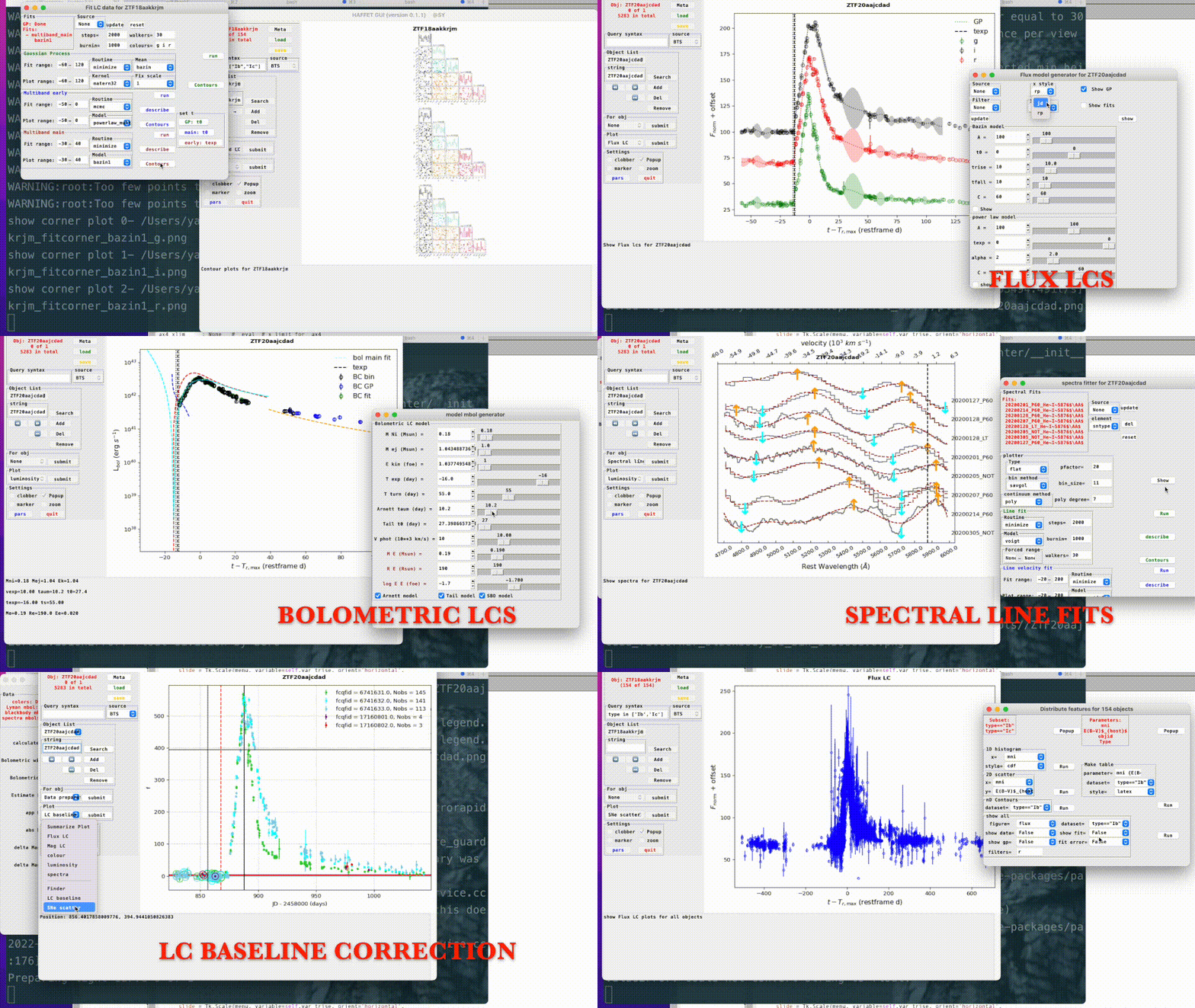
2. Run with the executable file

3. Run as a Python package

Note
An example data directory can be found at https://stockholmuniversity.box.com/s/2c3z8yrgvd9zumm4c35u8jtvapyva3e1.